


Phone Number Location
4.185.00 Reviews
App Specs
- Version
- 1.0.5.7
- Updated On
- License
- Free
- Downloads
- 5,000,000+
- Developer
- Quality App Zone
- Categories
- Maps & Navigation
- Platform
- Android, iOS
Screenshots
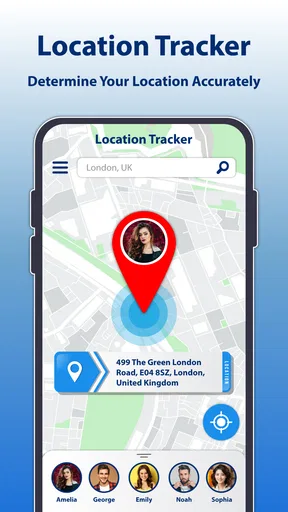
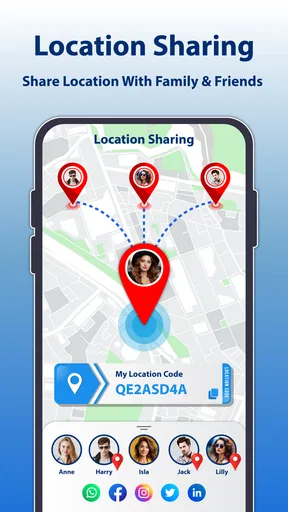
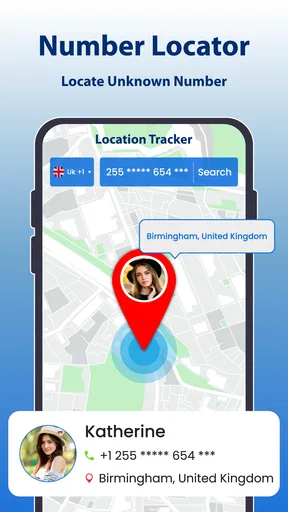
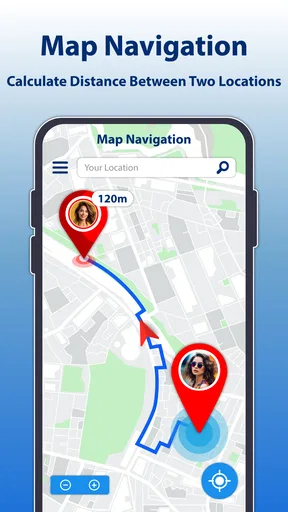
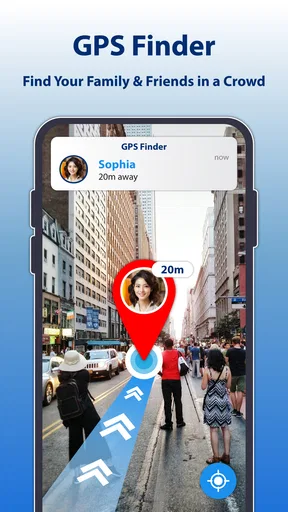
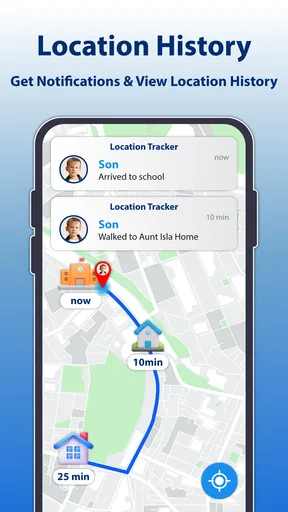
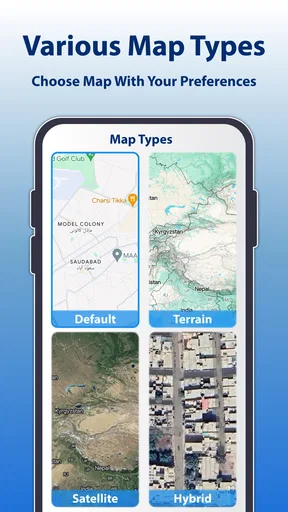
 Analysis by AppCompare
I judge a number-location app by a practical question: does it help me make a better decision when an unfamiliar call comes in, without encouraging me to treat an estimate as certainty? Phone Number Location is aimed at people who want quick context about numbers and a way to share location with family or friends. That puts it in a different lane from turn-by-turn navigation: it is about phone-number information and location sharing, not planning a route or replacing a map.
Start with the job you need done
Before installing it, I would separate three common needs. If you want to identify a caller, a caller-ID tool is the relevant kind of app. If you want trusted people to know where you are, a location-sharing tool is a better fit. If you need directions, a conventional navigation app is the right choice. This app sits closest to the first two, so it makes sense when those needs overlap rather than when you expect a full navigation system.
That distinction matters because “location” can sound more exact than phone-number lookup usually is. A result tied to a number should be treated as useful context, not proof of a person’s live position. I would not use it to make safety-critical decisions, to verify someone’s whereabouts, or to confront a caller. For those situations, direct communication or a dedicated, consent-based sharing method is more appropriate.
What the app is trying to do
Phone Number Location is a free Maps & Navigation app from Quality App Zone. Its appeal is the combination of number-related information and sharing location with family or friends. The straightforward premise suits someone who would rather try one focused tool than assemble several separate apps for caller context and informal check-ins.
The app has a 4.1 average from around 7,200 ratings, with over 5 million installs. Those figures suggest that many people have tried it, but they do not guarantee that a particular number will be identified correctly or that the app will suit every phone and region. I would use the rating as a broad signal of interest, not as a substitute for testing the parts I actually need.
Where it can fit into an everyday routine
I find this kind of app most useful when I decide in advance what I expect it to answer: a little context about an unfamiliar number, or a convenient way to coordinate with people who have agreed to share their location. Keeping those two jobs separate helps me avoid treating a lookup as proof of identity or whereabouts. The next section looks at how that distinction plays out in an ordinary day.
A useful scenario, with realistic expectations
Imagine I receive a missed call while I am at work and do not recognize the number. I can use the app to look for context before deciding whether to call back, ignore it, or check through another route. If the call is from someone I know, I can follow up directly; if the result is unclear, I should leave the uncertainty intact instead of assuming the app has identified the caller beyond doubt.
Worth Reading Before You Choose

EA SPORTS FC Mobile 26 Is a Bigger Football Game, but It Takes Time

Flipboard Shows What News Apps Must Do Beyond the Feed

Switching to Android Auto Means Rethinking Your Driving Routine

Google Calendar Makes a Crowded Week Easier to Manage

Ludo King Makes the Most of the Minutes Between Plans

Baby Panda World Brings Quick Play to Modern Phones, but Its Game Library Feels Busy
That workflow is more useful than treating a lookup as a final answer. I would compare the displayed information with the number’s voicemail, a message the caller left, or a contact detail I already trust. For repeated nuisance calls, the practical benefit may be helping me decide whether a number deserves attention, rather than making the calls disappear by itself.
Location sharing serves a different everyday purpose. Before a family member travels home or meets me somewhere, sharing location can make coordination easier than sending several “where are you?” messages. I would agree on when to share and with whom first, then stop sharing when the reason for it ends. That simple habit keeps a convenience feature from becoming an always-on expectation.
Small choices that make the experience more dependable
When checking a number, I would enter it carefully, including the country code when appropriate. A missing or incorrect prefix can make an international number harder to interpret, and the original review experience found that location accuracy could vary for international numbers. That is a useful reason to treat a result as approximate and to check the number’s format before drawing conclusions.
I would also use the app in two stages: first as a quick screening aid, then as a prompt for a more reliable check if the decision matters. For a casual missed call, a rough clue may be enough to decide whether to respond. For a delivery, appointment, financial matter, or urgent family issue, I would use an official contact channel or speak to the person directly instead of relying on a lookup alone.
For location sharing, the best workflow is to make the purpose explicit. A short trip, a planned pickup, and ongoing family coordination are different situations; the people involved should know which one applies. I would avoid sharing broadly just because the option is available, and I would not treat someone’s inability to share as evidence of anything. These choices are not special technical tricks, but they make a location feature more useful and less intrusive.
How it compares with familiar alternatives
Compared with a standard maps app, this is not the tool I would open to choose a route, compare roads, or navigate to a new address. A map is built around places and directions; this app’s focus is phone numbers and sharing location. If navigation is your main goal, keeping a conventional maps app as your primary tool is the more sensible arrangement.
Compared with a basic caller-ID or spam-screening option, the draw here is the broader combination of number lookup and location sharing. A dedicated caller tool may be a better match if you only want to screen incoming calls. Likewise, a dedicated family location-sharing service may suit people who need an established routine centered entirely on consent-based check-ins. I would choose based on the task I do most, rather than assuming one app must replace every other tool.
There is also a meaningful difference between identifying a number and locating a person. A number lookup can provide context associated with a phone number; it should not be confused with a guaranteed, real-time position. If your reason for installing the app is to track someone without their knowledge, this is not an appropriate solution. If you need a dependable emergency response or precise navigation, use services designed for those jobs.
Compatibility, cost, and the decision to keep it
The app is free to install and is rated for Everyone. It was released on March 13, 2024, and version 1.0.5.7 is listed for devices running Android 7.0 or later. Those details make it easier to judge basic fit before trying it, but I would still check that the version available for my device is current and that the features I care about work as expected.
Some optional purchases are available, ranging from $5.99 to $39.99 per item. I would begin with the free experience and decide whether a paid option solves a real problem before spending anything. The key question is not whether an upgrade exists, but whether I use the app often enough—and trust its results enough—for an extra purchase to make sense.
Switching away is likely to be straightforward if I have only used it for occasional lookups. If I have built a family routine around location sharing, I would first agree on a replacement method with the people involved, then make sure everyone understands how to use it. The friction is less about moving an account and more about changing a shared habit without leaving anyone assuming that location is still being shared.
Who should try it, and who should look elsewhere
I would recommend giving it a cautious try if you regularly receive unfamiliar calls, want a quick number-related reference, or need occasional location sharing with people who already agree to it. It may be especially convenient for someone who wants those purposes in one place and is comfortable treating results as helpful clues rather than definitive answers.
I would skip it if you expect precise live tracking from a phone number, need a dedicated route planner, or want guaranteed identification for every caller. People who handle sensitive or high-stakes decisions should favor direct confirmation and trusted official channels. Anyone uncomfortable sharing location should also avoid enabling that part simply because it is available.
Getting Started with Phone Number Location
First things first, downloading the app was a breeze. Available on both Android and iOS, it took just a few taps to get it installed. Once opened, the app greeted me with a clean, intuitive interface. No confusing menus, just straightforward options that even the least tech-savvy among us could navigate.
Features That Stand Out
Now, let's dive into the meat of the app. The primary function, as you might guess, is to locate and identify phone numbers. You simply input the number, and voilà! The app works its magic. It provides the caller's location and, in many cases, their name. This is particularly handy when you're dealing with unknown numbers.
But that’s not all. The app also offers a call log feature, which allows you to keep track of all incoming and outgoing calls. For someone like me who constantly forgets to note down numbers, this is a godsend. Additionally, the app provides a caller ID function. This means that when you receive a call from an unknown number, the app will try to identify it in real-time. It's like having a personal assistant screening your calls.
User Experience
Using it felt like a walk in the park. The app is snappy and responsive, with transitions that are smooth and seamless. I particularly appreciated the lack of intrusive ads, which is a rare find in free apps. The developers have clearly prioritized user experience, ensuring that the app remains clutter-free and efficient.
One thing I noticed, however, is that the accuracy can sometimes vary, especially with international numbers. In most cases, it worked like a charm, but there were a few instances where the location details were a bit off. It’s something to keep in mind, especially if you’re relying on precise information.
Privacy Concerns
With any app that handles sensitive data, privacy is a biggie. The developers have addressed this with transparent privacy policies. They assure users that their data is not stored or shared with third parties, which is reassuring. However, as always, it's wise to remain cautious and read through the privacy terms yourself.
Wrapping Up
So, what's the final verdict? If you're looking for a reliable and user-friendly app to help manage and identify phone calls, Phone Number Location is definitely worth a try. It's not perfect, but it gets the job done with minimal fuss. The combination of a sleek interface and practical features makes it a standout option in its category.
Whether you're a detective in disguise or just someone who wants to avoid those pesky telemarketers, this app might just be your new best friend. Give it a whirl, and see how it fits into your digital toolkit.
Pros
- Accurate location tracking
- User-friendly interface
- Wide range of supported countries
- Real-time updates
- Minimal battery consumption
Cons
- Limited free features
- Requires internet connection
- Possible privacy concerns
- Ads can be intrusive
- Location accuracy varies
FAQs for Phone Number Location
What does the Phone Number Location app do?
The Phone Number Location app allows users to track the location of a phone number in real-time. It provides details such as the city, state, and country of the caller. This can be particularly useful for identifying unknown or spam callers and ensuring the safety of loved ones.
Is the Phone Number Location app safe to use?
Yes, the app is designed with user privacy and safety in mind. It requires permission to access certain phone features, but it does not share or sell personal data. Always download the app from official app stores to ensure you are getting a legitimate version.
Do I need an internet connection for the app to work?
Yes, an active internet connection is required for the app to function properly. It uses online databases to provide accurate location information and updates. Without an internet connection, the app may not be able to retrieve or display the necessary data.
Is the Phone Number Location app free?
The app is available as a free download, but it may offer in-app purchases or premium features. These might include ad-free usage, advanced tracking options, or enhanced data accuracy. Check the app description for details on pricing and subscription options.
Can the app track phone numbers internationally?
Yes, the Phone Number Location app is capable of tracking phone numbers from various countries. However, the accuracy may vary depending on the region and the available data. It's designed to provide the best possible information based on the databases it accesses.


